Journal
How I Built a Telegram Bot That Downloads Videos From Instagram, TikTok, and YouTube — for $3 a Month
A few months ago, I was with Jasmine trying to download an Instagram video for a Keyweemotion client. We pasted the link into one of those free downloader sites everyone uses. A popup hit the screen instantly. Full-window takeover. “Your Mac has been locked. Call Apple Support at 1-800-…” No X button. No way to close the tab. Just a fake Apple logo, a phone number, and a countdown timer.
It’s the same scam pattern security researchers have been documenting for over a decade. The FTC logged $589 million in tech support scam losses in 2024 alone, and adults 60+ accounted for nearly half of it (FTC Consumer Sentinel Network Data Book, 2025). The hook is always the same: a real-looking popup, a fake countdown, a number that connects you to a “technician” who asks for remote access. From there it’s gift cards, wire transfers, or a hijacked machine.
We caught it. Force-restarted the Mac. Nothing was lost. But that 30 seconds of panic — the brain spiraling into “is the laptop compromised?” — that’s the real cost of every free video downloader site covered in ad networks you’ve never heard of. The video we needed for the client? Still not downloaded.
That weekend I built a Telegram bot to solve this permanently. It downloads videos from Instagram, TikTok, YouTube, and roughly 1,900 other sites. It runs me about $3 a month on Fly.io. The whole build took 30 minutes. AI did 90% of the work — I answered questions and pasted tokens.
This is the story of that build, the stack, the cost, and how someone with near-zero coding background can do the same thing in an afternoon.
Key Takeaways
- U.S. tech-support scams cost victims $589M in 2024, and most start with a malicious popup from a sketchy site (FTC, 2025).
yt-dlpcan download videos from over 1,900 sites with no ads, no popups, no tracking (yt-dlp).- Hosting a private Telegram bot like this on Fly.io costs roughly $3/month, running 24/7.
- With an AI assistant doing the heavy lifting, the build takes about 30 minutes and requires zero prior coding.
What does this bot actually do?
You send it a video link from any major social platform. It replies with the downloaded video file. That’s it. You can then save the file to your phone with one tap.
I built it for my mom first. She loves Instagram Reels but couldn’t figure out how to save them — Instagram’s own “save” only saves them inside the app, not to the camera roll. Now she texts the link to a Telegram bot and 5 seconds later she’s got the MP4 in her photo album. Same for me when I’m pulling reference clips, memes, or research videos. Same for anyone I add to the whitelist.
The bot is private. Only the Telegram user IDs I whitelist can use it. Strangers who somehow find the bot get ignored.
Why this matters if you download videos for work
If you’re a content creator, researcher, or someone who saves a lot of videos for personal reference, you probably pull files off social platforms more often than you’d like. Moodboard clips. Inspiration libraries. Your own posts you want a clean copy of. Memes you want to send your group chat without screen-recording them.
The standard playbook is to paste the URL into one of the free downloader sites. Most of them are running ad networks that monetize through the worst kinds of inventory — fake “your computer is infected” popups, redirects to malware-laden landing pages, and the browser-locker scam that hit Jasmine’s Mac. Malwarebytes calls this category “tech support scam” and it’s one of the most consistent threat patterns on macOS specifically (Malwarebytes Labs, 2024).
The cost isn’t just risk. It’s also time. Every download involves clicking past ads, closing popups, dismissing newsletter modals, and occasionally restarting your browser when something goes wrong. Multiply that by a few downloads a day across a team and you’re losing real hours per month.
A private bot replaces all of that with: paste link → wait 5 seconds → get file.
The stack: six tools, one job
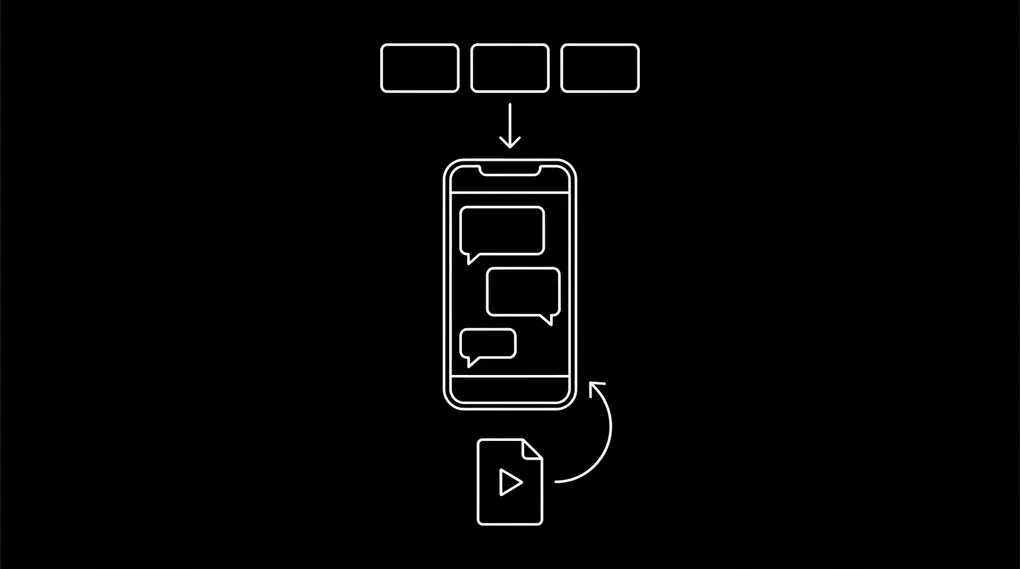
Here’s the full architecture:
Each piece has a specific job:
- python-telegram-bot — handles the chat side. Long-polls Telegram for new messages, dispatches them to your code, sends replies back. Async, well-maintained, used by tens of thousands of bots.
- yt-dlp — the actual downloader. Fork of youtube-dl that’s now the de facto standard. Supports 1,900+ sites including every major social platform.
- ffmpeg — merges video and audio streams when the source serves them separately (which Instagram and YouTube often do).
- Docker — packages the whole thing into one container so it runs identically on Fly.io as it does on my laptop.
- Fly.io — the cheapest 24/7 hosting I’ve found for tiny Python services. Pay by the second. ~$3/month for this workload.
- Telegram Bot API — free, mature, lets your mom interact with the bot from any device she already has Telegram installed on.
No frontend. No database. No auth flow. The “login” is “your Telegram ID is in the whitelist or it isn’t.”
The 30-minute build, step by step
Want to skip ahead? The full code is on GitHub at github.com/shahabpn/telegram-video-downloader-bot — public, MIT-licensed, ~130 lines of Python plus a Dockerfile. Clone it, drop in your own Telegram bot token and user IDs, deploy to Fly.io. The repo README walks through every command.
This is the actual sequence I ran. Anyone with a laptop and a credit card can replicate it.
1. Create the bot in Telegram (2 min). Open Telegram. Message @BotFather. Send /newbot. Pick a name and a username. BotFather replies with an API token. Save it.
2. Get your Telegram user ID (1 min). Message @userinfobot. It replies with your numeric ID. Have your mom (or whoever else gets access) do the same. Collect them all.
3. Write the bot (with AI, 15 min). This is the part where, historically, you’d need to know Python. With Claude or any modern AI assistant, you describe what you want — “Telegram bot that downloads videos from any URL using yt-dlp, whitelists user IDs, sends the video back in chat, handles errors gracefully” — and you get a working script. I went through one round of feedback (“split it so the token is an env var, not hard-coded”) and that was it.
The full script is about 130 lines. The AI wrote ~120 of them. I touched maybe 10.
4. Package it for hosting (5 min). A Dockerfile that installs Python, ffmpeg, and the two pip dependencies, then runs your script. Twelve lines of config. The AI writes this too.
5. Deploy to Fly.io (5 min). Install flyctl, sign up (credit card required — Fly’s free tier ended in late 2024), then run three commands: fly launch --no-deploy, fly secrets set TELEGRAM_BOT_TOKEN=... ALLOWED_USER_IDS=..., and fly deploy. The bot is live.
6. Test it (2 min). Open Telegram, find your new bot, send /start, paste an Instagram reel URL. The MP4 comes back within 5 seconds.
That’s the whole build. If your card propagates immediately, you’re up in 30 minutes. If Fly’s billing takes a few minutes to confirm (it sometimes does), tack on 5-10 minutes of waiting.
What it actually costs to run
Here’s the breakdown for a Fly.io machine running 24/7 with the smallest config that works for this kind of bot:
| Cost item | Monthly |
|---|---|
Compute (shared-cpu-1x, ~720 hours) | ~$1.94 |
| RAM (256 MB) | ~$1.00 |
| Network egress (first 100 GB free; this bot uses well under 5 GB) | $0 |
| Storage (uses ephemeral tmpfs, no volumes) | $0 |
| Total | ~$3.00 |
Pricing is from Fly.io’s official pricing page as of 2026. For comparison, an Apple gift card for a “tech support” scammer averages around $500 per victim (FTC, 2025). The bot pays for itself in perpetuity if it prevents even one moment of “wait, is this real?”
You can also run it for free on a Raspberry Pi at home if you already have one, or on Oracle Cloud’s perpetually-free ARM VM tier. I picked Fly because the deploy flow is the simplest and the machine doesn’t die when my home internet does.
Three caveats you should know up front
The 50 MB file size cap. Telegram’s Bot API limits bots to sending files up to 50 MB (Telegram Bot API). Most Instagram reels, TikToks, and short YouTube clips are under 20 MB so this rarely matters. But a 30-minute YouTube video won’t fit. If you need bigger files, you’d switch from the Bot API to MTProto (using a library like Telethon) — which is a much bigger build and runs you into Telegram’s terms of service for automated accounts. For 99% of “save this Reel” use cases, 50 MB is plenty.
Instagram occasionally rate-limits anonymous downloads. Meta tightens this every few months. When it does, yt-dlp will start returning errors specifically for Instagram links. The fix is to feed it cookies from a logged-in browser session — and you should always use a throwaway Instagram account for this, never your real one. Meta has been known to ban accounts associated with automation. The “Get cookies.txt LOCALLY” browser extension exports them in one click. Drop the file into your project, set YT_DLP_COOKIES_FILE=/app/cookies.txt, redeploy.
Whitelist hygiene. Don’t make the bot public. If you skip the user-ID whitelist, the bot will happily serve anyone who finds it — meaning your Fly bill could spike on bandwidth and Instagram might block your downloader for “suspicious activity.” Whitelist yourself, family, and trusted teammates only. Adding a new person is one CLI command.
Why this matters more than just “I built a downloader”
The interesting thing here isn’t the bot. It’s that I built a real, deployed, useful piece of software for my non-technical mom in 30 minutes, for $3 a month, with no prior experience writing Telegram bots and without ever opening Instagram’s developer docs. AI made every decision I needed to make — what library to use, how to structure the Docker container, what region to deploy to — and handed me the code to paste in.
Two years ago this build would have taken me a weekend, minimum. I’d have spent half of it reading library docs and the other half debugging Docker on a Mac. Today, the bottleneck isn’t knowledge or code. It’s deciding what to build.
If you have a recurring annoyance in your life or your business — a workflow you do over and over that sucks — there’s a near-100% chance you can build a personal tool to replace it for a few dollars a month. The barrier dropped to the floor. Most people haven’t noticed yet.
Frequently asked questions
Can my mom (or someone non-technical) actually use this?
Yes. From her side, the bot is just another contact in Telegram. She sends it a link the same way she’d forward a message to a friend. The bot replies with the video file, she taps “save to photos,” done. There’s nothing to install on her phone beyond Telegram itself, which she already has.
Is it legal to download videos from Instagram, TikTok, and YouTube?
Short answer: it depends on what you do with the file. Saving a clip to your camera roll for personal reference is treated very differently from reposting it on your own account, downloading copyrighted music for republishing, or pulling content at scale. Each platform’s Terms of Service technically prohibit automated downloads regardless. The bot itself is just a tool — what you use it for is on you. I use mine to save my own posts, keep clips friends have sent me, and build a personal moodboard. If you’re unsure about a specific use case, ask the creator or just save the link instead of the file. None of this is legal advice — when in doubt, talk to a lawyer in your jurisdiction.
What if Instagram completely blocks yt-dlp one day?
yt-dlp is open source and actively maintained by a large community. When Instagram (or any platform) changes their internals, fixes usually land within days. You’d just rebuild your Docker image to pull the latest yt-dlp version. If a platform ever locks down completely — which has never happened in yt-dlp’s history — you’d switch tactics, but that’s a low-probability event.
Why Telegram instead of WhatsApp or iMessage?
Telegram has a free, well-documented Bot API. WhatsApp’s bot API costs money and requires Meta business verification. iMessage has no public bot API at all. Telegram is the path of least resistance for personal automations like this.
Could I do this without Fly.io?
Yes. A Raspberry Pi at home runs the bot just as well for free, as does any small VPS (Hetzner, DigitalOcean, Linode all charge ~$4-6/mo for their smallest box). Oracle Cloud’s free tier is more powerful than this bot needs and costs nothing. I picked Fly because the deploy is one command and the machine has near-zero ops overhead.
Do I have to know Python to build this?
No. You need to be able to (a) follow instructions, (b) paste tokens into the right files, and (c) describe what you want to an AI assistant clearly. The AI writes the Python. The hardest manual step is creating the bot in Telegram via @BotFather, which takes about 90 seconds.
Where’s the code?
The repo is public at github.com/shahabpn/telegram-video-downloader-bot. Clone it, drop in your own Telegram bot token and Telegram user IDs, deploy to Fly.io. The README walks through every step.
What to build next
The whole point of this story is that the build is no longer the hard part. Once you’ve shipped one of these, the next one is even easier. I have a running list of small annoyances in my workflow that I’m slowly automating away — a Telegram bot that summarizes long Reddit threads, one that pulls fresh competitor reviews from Trustpilot every morning, one that turns voice memos into structured to-dos in Notion.
Each one is a weekend at most. Each one costs a few dollars a month. Each one removes a small friction permanently.
If you’re sitting on a “I wish there was a tool that…” idea, that’s your prompt. Open Claude, describe the tool, ship it this weekend. You’re closer than you think.
Want help thinking through what to build? I run a free AI discoverability audit and consult on small-business AI adoption — feel free to reach out.