Journal
My AI Agent Reads Every Blog I Publish. Here's How.
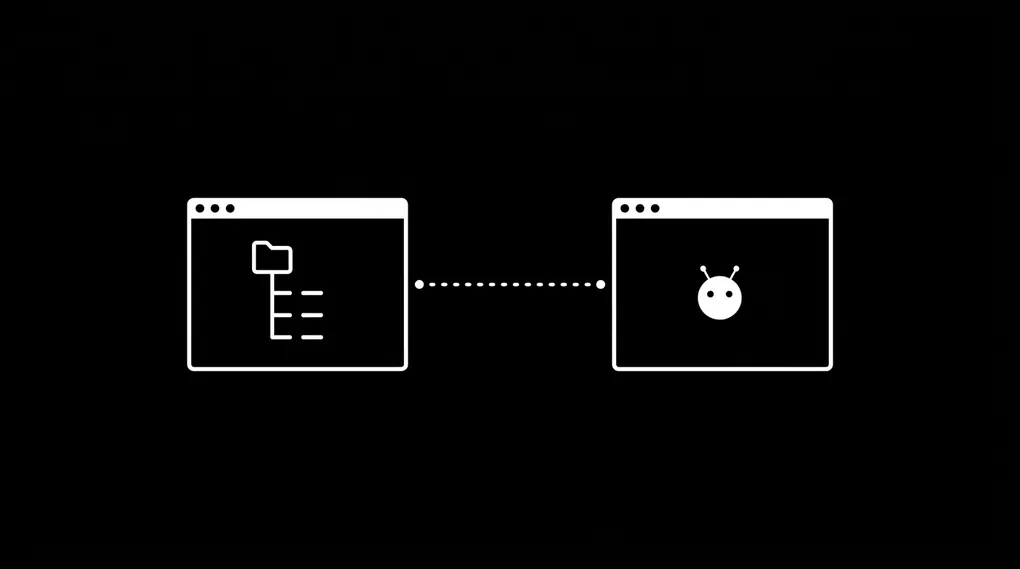
I publish a blog post. Within minutes, my AI agent knows about it. The title, the topic, the keywords, the links to related projects and contacts. I did not copy-paste anything. I did not update a spreadsheet. The knowledge base updated itself because the system was built to do that from the start.
I wrote about building the Knowledge Operating System a month ago. Since then, I have been using a tool that fits this system like a missing piece: Obsidian.
Every Blog Post Updates My Knowledge Base
Each piece of content I create lives as a YAML record inside my Knowledge Operating System (KOS). The record tracks the title, stage, tags, linked projects, linked contacts, and target platforms.
A blog post record looks like this:
_meta:
  id: content.kos-obsidian-openclaw
  created_at: 2026-03-28
  updated_at: 2026-03-28
  tags: [blog, kos, obsidian, openclaw]
  version: 1

title: "My AI Agent Reads Every Blog I Write"
stage: drafted
platforms: [blog, medium, linkedin]
linked_projects:
  - project.personal.kos-chatbot
The record sits in a Git repository. My AI agent, OpenClaw, has read access to that repository. The moment I commit a new content record, OpenClaw can see it, search it, and reference it in future conversations.
This closes a loop that most content creators leave open. You publish something, but your tools do not know about it. Your CRM has no idea you wrote a case study about a client. Your project tracker does not reflect the blog post you shipped. With the KOS, every content record links back to the contacts, projects, and businesses it references. OpenClaw reads those links and builds context from them.
Key takeaway: If your content lives outside the knowledge base, the agent cannot reference it. The data behind the agent is what makes it useful.
OpenClaw Stays in the Loop
OpenClaw is my AI agent deployed on a VPS running Claude. It reads from the Knowledge Operating System through a set of structured skills:
| Skill | Function |
|---|---|
| Content Pipeline | Tracks content from idea to published |
| Client Briefing | Pulls all records related to a contact |
| Weekly Digest | Summarizes content output vs. posting goals |
| Content Ideation | Generates new ideas from existing records |
| Daily Log | Captures work done on content and projects |
Each skill reads YAML files from the same Git repository. OpenClaw does not store its own copy of my data. It reads the source of truth, every time.
The content pipeline skill knows that this blog post exists, that it links to the KOS chatbot project, and that it targets three platforms. If I ask OpenClaw “what content have I drafted this month?”, it searches the data/content-pipeline/drafts/ folder and gives me a list. No separate dashboard. No manual sync.
The result: I write content, commit it, and my agent catches up. No integration layer. No webhook. Git is the sync mechanism.
Obsidian: The Missing Interface
I built the Knowledge Operating System as a Git repository of YAML and Markdown files. The structure works. The AI agent reads it without friction. But I needed a better way to browse, edit, and think about all those records as a human.
Obsidian solved that problem.
Obsidian is a local-first knowledge base application built on plain Markdown files. You point it at a folder on your computer. That folder becomes your “vault.” Obsidian indexes the files, tracks links between them, and renders a graph of relationships. The files stay on your machine as plain text. No proprietary database. No cloud requirement.
Core Features
| Feature | Description |
|---|---|
| Local-first storage | All files live on your device as plain .md files. No server, no account required |
| Graph View | Interactive node graph showing links between notes. Reveals clusters and orphan files |
| Backlinks | Automatic tracking of every note that references a given file |
| YAML Properties | Native support for YAML frontmatter. Visual editor for metadata fields |
| 2,700+ plugins | Community ecosystem covering Git sync, database queries, templates, and more |
| Free for all use | No charge for personal or commercial use. Optional paid sync and publish add-ons |
Why Obsidian Fits the KOS Philosophy
The Knowledge Operating System runs on two principles:
- Plain text over proprietary formats. YAML and Markdown are open standards. Any tool can read them, now or a decade from now.
- Systems before tools. The data architecture comes first; the tools that read it are replaceable.
Obsidian shares both principles. Your vault is a folder. Your notes are .md files. Obsidian adds a visual layer on top, but it never converts your files into a proprietary format. Stop using Obsidian tomorrow, and every file remains readable in any text editor.
Compare that to Notion, where exporting your data produces a pile of HTML files with broken links. Or Evernote, where your notes live in a proprietary XML format behind an API. Obsidian treats your files as the product. The app is a lens.
Key takeaway: Obsidian and the Knowledge Operating System share the same bet: plain text, stored locally, versioned in Git, readable by both humans and machines.
How Obsidian Works Under the Hood
Obsidian creates a hidden .obsidian/ directory inside your vault folder. This directory stores your settings, installed plugins, themes, and workspace layout. Your actual notes stay untouched as Markdown files.
my-vault/
├── .obsidian/           # Config (themes, plugins, settings)
│   ├── plugins/
│   ├── themes/
│   └── app.json
├── data/
│   ├── contacts/
│   ├── projects/
│   └── content-pipeline/
├── schemas/
├── skills/
└── CLAUDE.md
Obsidian indexes your vault on startup. It parses YAML frontmatter, tracks [[wikilinks]] and standard Markdown links, and builds a search index across all files. You get instant full-text search, tag filtering, and a graph visualization of every connection in your vault.
The Plugin Ecosystem
Four plugins make Obsidian work as a KOS interface:
1. Obsidian Git (by Vinzent03)
- Commits and pushes on a configurable interval (every 5 minutes, every hour, on close)
- Pulls on startup to sync across devices
- Built-in source control view for staging, committing, and viewing diffs
- Your vault stays in sync with the same Git repository OpenClaw reads from
2. Dataview (by blacksmithgu)
- A query engine for your vault. It reads YAML frontmatter and inline metadata, then lets you run SQL-like queries across all files
- Example: list all drafted content with their target platforms
TABLE title, stage, platforms
FROM "data/content-pipeline"
WHERE stage = "drafted"
SORT _meta.created_at DESC
3. Templater (by SilentVoid13)
- Template engine with dynamic variables: dates, file paths, cursor positions
- Auto-applies templates based on folder rules. Create a note in
data/contacts/and the contact schema populates the frontmatter - Runs JavaScript for advanced automation
4. Local REST API (by coddingtonbear)
- Exposes your vault as an HTTP API on localhost
- Endpoints for reading, creating, updating, and searching notes
- Has an MCP (Model Context Protocol) server wrapper, so AI agents can query the vault programmatically
Connecting Obsidian to OpenClaw
The connection between Obsidian and OpenClaw runs through Git. Both tools read from and write to the same repository. No middleware. No integration platform. Git handles the sync.
You (human)                    OpenClaw (AI agent)
    │                                │
    ▼                                ▼
Obsidian ──write──▶ Git Repo ◀──read── Claude (VPS)
    │                  │                 │
    │              commits               │
    │              branches              │
    │              history               │
    ▼                                    ▼
Graph View                        Skill Execution
Dataview Queries                  Content Pipeline
Template Creation                 Client Briefings
Visual Editing                    Weekly Digests
Setup Steps
- Clone your KOS repository to your local machine
- Open the folder as an Obsidian vault (Obsidian > Open folder as vault)
- Install Obsidian Git plugin from Community Plugins
- Configure auto-backup to commit and push every 5-10 minutes
- Enable pull-on-startup so Obsidian grabs any changes OpenClaw made overnight
- Install Dataview to query your YAML records from inside Obsidian
- Set up Templater with folder-based templates for contacts, projects, and content records
The Workflow
| Step | Actor | Action |
|---|---|---|
| 1 | You | Create or edit a YAML record in Obsidian |
| 2 | Obsidian Git | Auto-commits and pushes to the repository |
| 3 | OpenClaw | Reads the updated file on next query |
| 4 | OpenClaw | References the new data in briefings, digests, and ideation |
| 5 | OpenClaw | Writes a new record (daily log, task, content idea) |
| 6 | Obsidian Git | Pulls the agent’s changes on next sync |
| 7 | You | See OpenClaw’s updates in Obsidian’s graph view |
You and your AI agent work from the same files. Obsidian gives you the visual layer. OpenClaw gives you the operational layer. Git keeps both in sync.
Practical Example
I draft a blog post in Obsidian. I fill out the YAML frontmatter: title, tags, linked projects, target platforms. Obsidian Git commits and pushes.
Ten minutes later, I ask OpenClaw: “What content do I have in the pipeline?” OpenClaw searches the data/content-pipeline/drafts/ folder, finds the new record, and includes it in the response. I did not tell OpenClaw about the blog post. OpenClaw found it because the data lives in the shared repository.
Later that week, OpenClaw runs the weekly digest skill. It counts published posts against my posting goals (1 blog per month, 1 LinkedIn per week, 3 reels per week). The blog post I drafted in Obsidian shows up in the report. The system stays accurate without manual tracking.
The Bigger Picture
Most people build knowledge systems that serve one reader: themselves. The Knowledge Operating System serves two readers: you and your AI agent. Obsidian gives you a visual interface for the same files your agent reads programmatically.
This is Systems Before Tools in practice. Obsidian plugged in later, without changing a single file. OpenClaw plugged in from day one. Tomorrow, a different tool could replace either one. The YAML files, the Git history, the schemas, the skills: those stay.
The KOS is a product I am building in public. Every update, every integration, every lesson learned goes on LinkedIn first. Follow along.